4 Comments

Posted on 2008 Sep 22
Nice job! But i have question, can you add some volume controler? I think it will more comfortable for a use than are simple mute off/on.



Posted on 2008 Sep 25
Thanks for comment. I will soon add volume control function in next update.


Do you have any comment or questions about mauzer file?
Reply to
Please register &
login before you post!

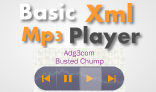
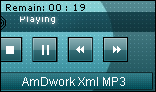
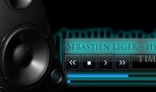

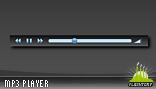



It's have suitable drop down playlist for quick track select.
It's Very flexible for use at any flash project or a standalone: Customize colors/sizes/controls/playing modes!
It's Very simple in setting and puting into other flash projects: Just copy mc from my fla source file and paste into your fla, in any place and with any sizes.
XML file setting:
<setting>
<main_color>0x4B3C2B</main_color>
Main color border/text/selection/icons
<second_color>0xCABAA4</second_color>
Second color background/text
<playlist_show_wait>500</playlist_show_wait>
Pause in milliseconds before dropdown playlist will show
<playlist_hide_wait>500</playlist_hide_wait>
Pause in milliseconds before dropdown playlist will hide
<start_playing>No</start_playing>
Begining playing when player loaded
<play_mode>Shuffle</play_mode>
Playing mode:
Shuffle=playing random tracks
All=playing all tracks from playlist
None=stop after playing one track
<playing_loop>No</playing_loop>
Loop mode:
Yes=starts playing again after ending playlist
No=stop playing after ending.
<counter_type>Elapsed</counter_type>
Counter type:
Elapsed=0:01, 0:02, ...
Remaining=-3:53,-3:52, ...
<limiter><![CDATA[ / ]]></limiter>
Example:
if limiter=/ will be artist/album/track name
if limiter=| will be artist|album|track name
</setting>
<tracks>
<count>3</count>
visible tracks in dropdown playlist. if you have 4 tracks and set count=3 dropdown playlist will shows only 3 tracks at one time and shows scrolling.
<track>
<id>1</id>
position of track in dropdown playlist
<artist></artist>
artist, option can be empty
<album></album>
album, option can be empty
<track_name>Just example loop</track_name>
track name, option can be empty
<length>77000</length>
length of track in milliseconds.
if you need playing live stream (like radio broadcasting) set 0 to length
<file>files/1.mp3</file>
path to mp3 file or url to file server or broadcasting server
</track>
</tracks>
Source files have a instruction readme.txt.